
random junk
Sep. 16th, 2007 11:01 pm![[personal profile]](https://www.dreamwidth.org/img/silk/identity/user.png) cornerofmadness
cornerofmadnessmostly did depressing stuff for the lawyer so i want to talk about something good. But before that, the computer gurus out there want to help me with this. I keep getting the blue screen of death and then this message upon rebooting. I THOUGHT it was that damn new norton but actually last night I pulled out the sandisc pen drive and my computer worked but didn't connect that to this until today when i put it back in (since it has my work stuff on it) and it immediately caused a failure.
Follow these steps to solve the problem with a device driver
You received this message because a device driver installed on your computer caused the Windows operating system to stop unexpectedly. This type of error is referred to as a "stop error." A stop error requires you to restart your computer.
Troubleshooting is available that might help you solve the problem
Troubleshooting
________________________________________
Depending on which situation is applicable to you, do one of the following:
• If this problem occurred after you installed a new hardware device on your computer, the problem might be caused by the device driver. Use the Dell Driver Reset Tool or uninstall the driver.
How do I disable or uninstall a device driver?
• If this problem occurred after you installed new software, the software might have installed a driver that caused the problem. Try uninstalling the software.
How do I uninstall a program in Windows XP?
• If you don't know the specific driver or software, try performing a System Restore.
• Go online and check for updated drivers on the Microsoft Update website.
• For information about your support options, go online to the Support.Dell.Com website.
(and yes I know my first problem is that this is a Dell)
So the fun stuff, well go look at my last three![[livejournal.com profile]](https://www.dreamwidth.org/img/external/lj-community.gif) bookheaven posts and see all the fun manga I've read
bookheaven posts and see all the fun manga I've read
mound of manga one
mound of manga two
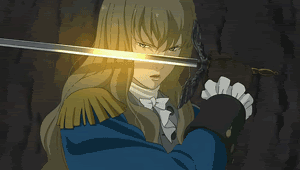
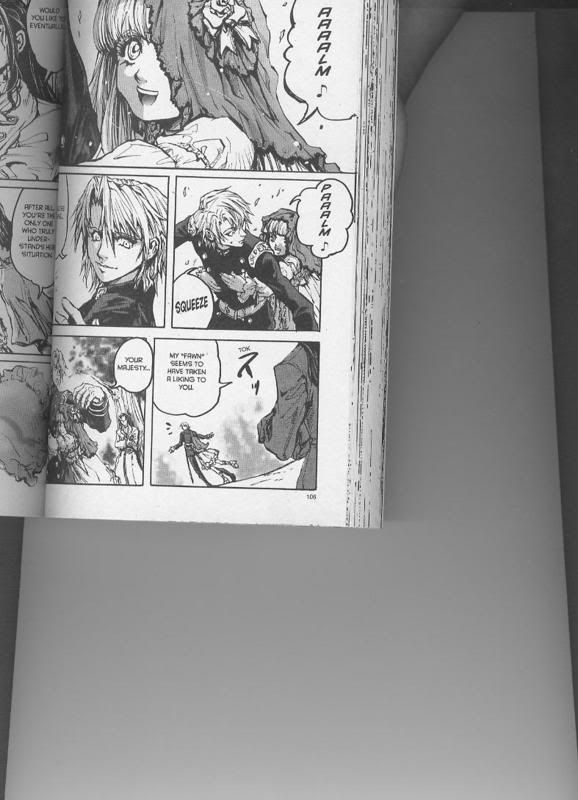
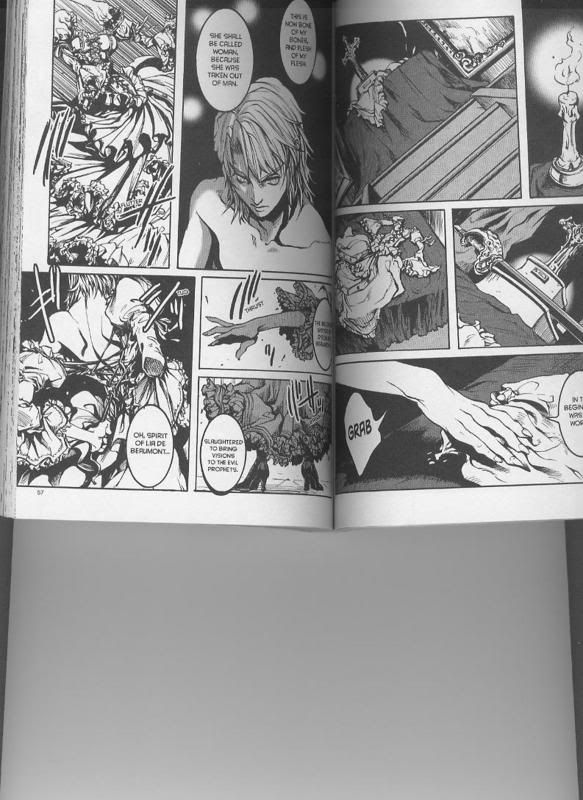
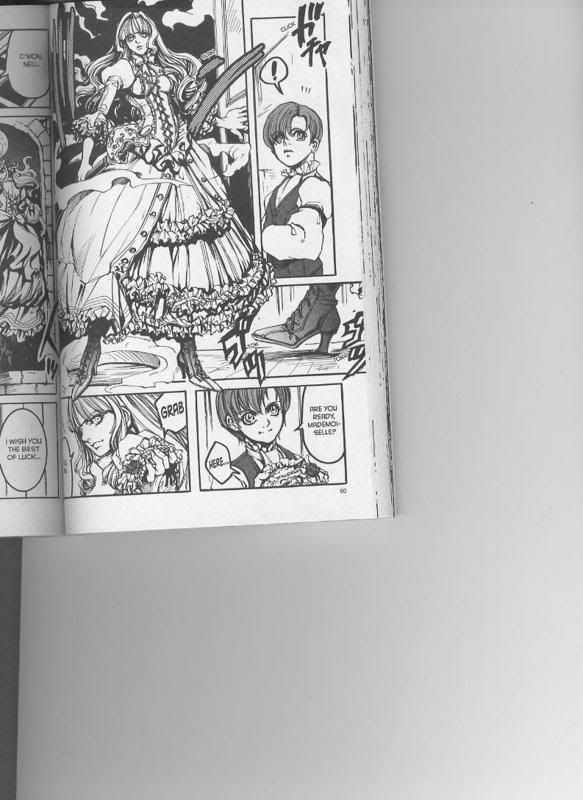
mound of manga three this last one discusses the difference between the Chevalier D'Eon anime and manga and since I'm NOT up on the technical aspect of things or news and what not I had a few questions there. But as an example of what I mean about them being vastly different right down to the character design, here:
Anime D’Eon
Anime D’Eon as Lia (note she retains his male clothing which would be advantageous in a sword fight)
Manga D’Eon (sorry, it's SO hard to scan a manga without breaking the spine which i won't do)
Manga D’Eon turning into Lia (included because it captivated me)
Manga D’Eon as Lia (note she insists her brother wear corsets, petticoats, frilly crap, high heels, all the things I want to wear in a sword fight, poor D'Eon, but much more close to reality. D'Eon was a crossdresser)
ETA - Wow, if i had an extra hour in the night I could have met my monthly goal tonight in just a little over two weeks. go me
Follow these steps to solve the problem with a device driver
You received this message because a device driver installed on your computer caused the Windows operating system to stop unexpectedly. This type of error is referred to as a "stop error." A stop error requires you to restart your computer.
Troubleshooting is available that might help you solve the problem
Troubleshooting
________________________________________
Depending on which situation is applicable to you, do one of the following:
• If this problem occurred after you installed a new hardware device on your computer, the problem might be caused by the device driver. Use the Dell Driver Reset Tool or uninstall the driver.
How do I disable or uninstall a device driver?
• If this problem occurred after you installed new software, the software might have installed a driver that caused the problem. Try uninstalling the software.
How do I uninstall a program in Windows XP?
• If you don't know the specific driver or software, try performing a System Restore.
• Go online and check for updated drivers on the Microsoft Update website.
• For information about your support options, go online to the Support.Dell.Com website.
(and yes I know my first problem is that this is a Dell)
So the fun stuff, well go look at my last three
bookheaven posts and see all the fun manga I've read mound of manga one
mound of manga two
mound of manga three this last one discusses the difference between the Chevalier D'Eon anime and manga and since I'm NOT up on the technical aspect of things or news and what not I had a few questions there. But as an example of what I mean about them being vastly different right down to the character design, here:
Anime D’Eon
Anime D’Eon as Lia (note she retains his male clothing which would be advantageous in a sword fight)
Manga D’Eon (sorry, it's SO hard to scan a manga without breaking the spine which i won't do)
Manga D’Eon turning into Lia (included because it captivated me)
Manga D’Eon as Lia (note she insists her brother wear corsets, petticoats, frilly crap, high heels, all the things I want to wear in a sword fight, poor D'Eon, but much more close to reality. D'Eon was a crossdresser)
ETA - Wow, if i had an extra hour in the night I could have met my monthly goal tonight in just a little over two weeks. go me
| |
19,544 / 20,000 (97.7%) |


![[identity profile]](https://www.dreamwidth.org/img/silk/identity/openid.png)
![[community profile]](https://www.dreamwidth.org/img/silk/identity/community.png)

no subject
Date: 2007-09-17 03:54 am (UTC)ok. well, to uninstall programs, you go into the control panel and double-click on the icon that says "uninstall programs".
now wait a minute...does the computer fail to boot up when you try to boot it up when you have the pen drive plugged in? or does this happen when it's already been on for a while and you plug the pen drive in?
i'd suggest uninstalling and reinstalling the pen drive driver and see if that helps. you can usually find drivers on the manufacturer's website or on the CD that comes with the pen drive, if you still have it.
no subject
Date: 2007-09-17 04:04 am (UTC)no subject
Date: 2007-09-17 07:14 am (UTC)no subject
Date: 2007-09-17 02:54 pm (UTC)no subject
Date: 2007-09-17 04:01 am (UTC)To roll back a driver:
To roll back to the previous version of a driver
Open Device Manager. (click Start, and then click Control Panel. Double-click System. On the Hardware tab, click Device Manager.)
Right-click the device for which you want to reinstall the previous version of the driver, then click Properties.
Click the Drivers tab.
Click Roll Back Driver.
Removing or updating a driver:
Well, follow the same instructions as above, only click remove driver instead. See?
OR you can just right click the device in question, and it will give you a little menu that has the options to update driver, disable the device, or uninstall the device. sometimes uninstalling the device and letting it go through the installation process again will solve a problem like this. Sometimes updating a driver will have the same effect too.
Let's see there was another question here...
How do I uninstall a program:
Click Start
Click Control Panel
Double Click: Add or Remove Programs
Find the program you need to remove (may take a few seconds for the list to populate.)
Click on the program and the options available (usually change/remove) button will appear.
Click the button and follow the instructions.
Pretty simple really... Afterwards take two aspirin and call me in the morning. ^_~
no subject
Date: 2007-09-17 04:09 am (UTC)no subject
Date: 2007-09-17 04:20 am (UTC)no subject
Date: 2007-09-17 04:24 am (UTC)no subject
Date: 2007-09-17 04:53 am (UTC)no subject
Date: 2007-09-17 02:56 pm (UTC)